KidInspector Launches Game Monitoring for Parents, Including Roblox
New features help families see when and how long kids play, block games and spot invitations to move chats off games,

Press Release Disclaimer: This is a press release distributed through the XPR Media network. It has not been independently verified by our newsroom.
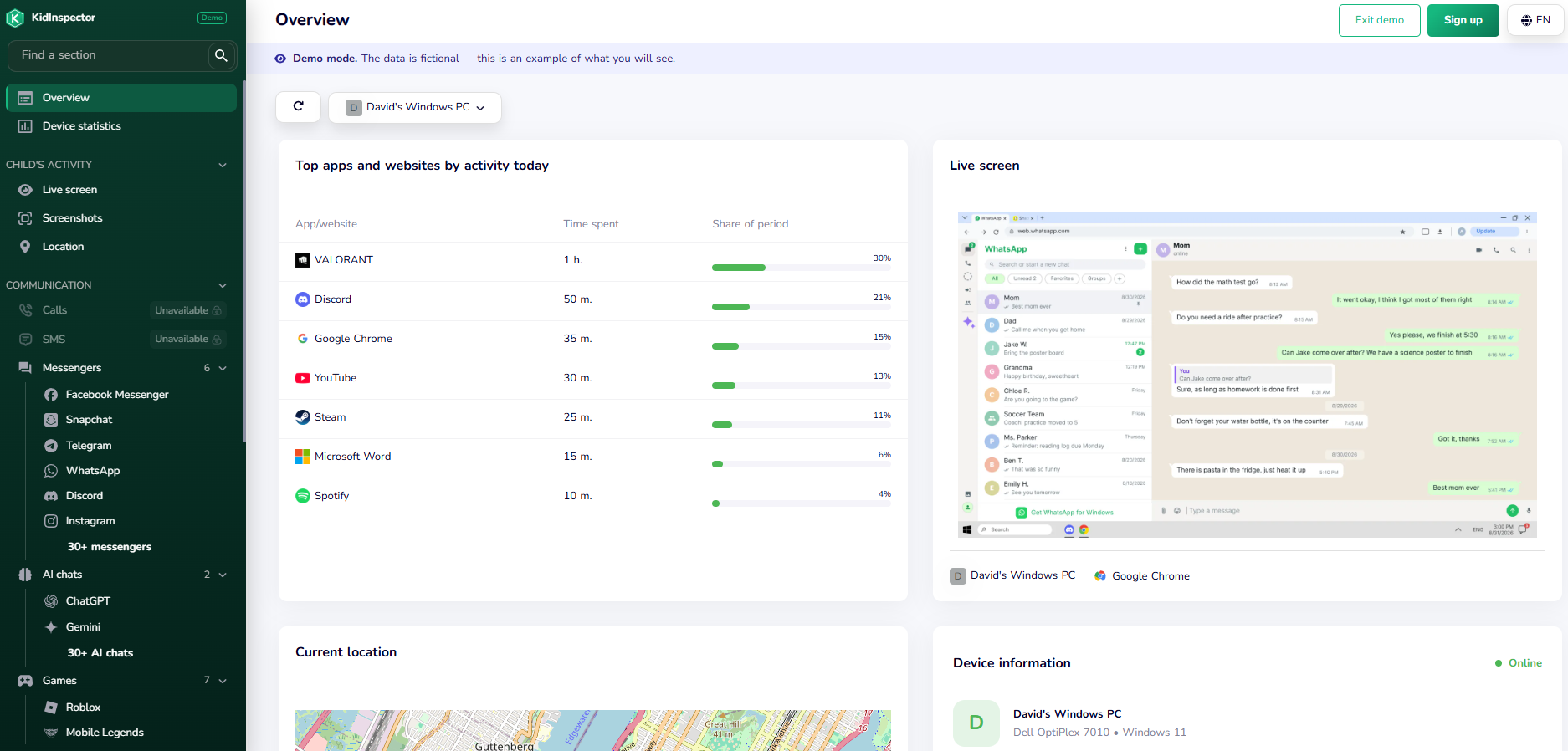

New features help families see when and how long kids play, block games and spot invitations to move chats off games, incl. Roblox, PUBG, Mobile Legends.
WILMINGTON, DELAWARE, DE, UNITED STATES, October 26, 2026 /EINPresswire.com/ — – KidInspector, a family device monitoring service for Android, Windows and macOS, today announced the launch of game monitoring features designed to help parents understand and guide their children’s gaming habits, including on Roblox, one of the most popular online platforms among children and teens.
Online games have become a place where children play, create and socialize. For most families this is a positive experience, but parents often have little visibility into how much time is spent in games, at what hours, and whether in-game conversations lead to invitations to continue chatting on other apps. KidInspector’s new game monitoring features give parents that context in a calm, transparent way, so that conversations about screen time and online safety can start from facts rather than guesswork.
“Our goal is to help families keep Roblox and other games fun and safe, together,” said a KidInspector representative. “We encourage parents to tell their kids the app is installed, explain why, and use what they see as a starting point for an open conversation about healthy habits and online safety.”
What parents can see
With game monitoring, parents can use the KidInspector dashboard to:
– See how long a child played. Daily time spent in Roblox and other games helps families agree on reasonable limits together.
– See when games were played. A timeline of gaming sessions helps parents notice late-night play or gaming during homework or school hours.
– Pause a game when needed. Where the platform supports it, parents can block a game app, for example at bedtime or during study time. Parents are notified when a blocked app is opened, so they know when a rule may need to be talked through.
– Notice risky invitations. A common online safety concern is a stranger in a game chat asking a child to move the conversation to a private messenger or social app. KidInspector helps parents notice when Roblox activity is followed by a switch to another messaging app, so they can check in early.
– Get visual context when it matters. Where a log alone doesn’t tell the full story, visual snapshots of on-screen activity add context. On supported platforms, text in these snapshots is searchable.
Designed for open, family-first use
KidInspector is intended for parental control and family use: on a parent’s own devices, on their children’s devices, and on household devices where the rules are known to everyone. KidInspector does not support covert monitoring or the monitoring of adults without their consent, and asks every user to follow the laws that apply where they live.
Availability
Game monitoring is available now to KidInspector users on Android, Windows and macOS. Parents who want to see how reports look before signing up can try a free demo dashboard at https://kidinspector.com.
About KidInspector
KidInspector is a parental control and family device monitoring service operated by FamilyShield Technologies, LLC. It brings activity from Android phones, Windows PCs and Mac computers into one protected dashboard, covering app and game usage, visited websites, location history and app and website blocking, to help families build healthy digital habits. Learn more at https://kidinspector.com.
*Roblox is a trademark of Roblox Corporation. KidInspector is not affiliated with, endorsed by or sponsored by Roblox Corporation.
Mark Bronson
FAMILYSHIELD TECHNOLOGIES, LLC
+1 505-306-8710
Legal Disclaimer:
EIN Presswire provides this news content “as is” without warranty of any kind. We do not accept any responsibility or liability
for the accuracy, content, images, videos, licenses, completeness, legality, or reliability of the information contained in this
article. If you have any complaints or copyright issues related to this article, kindly contact the author above.

Media gallery